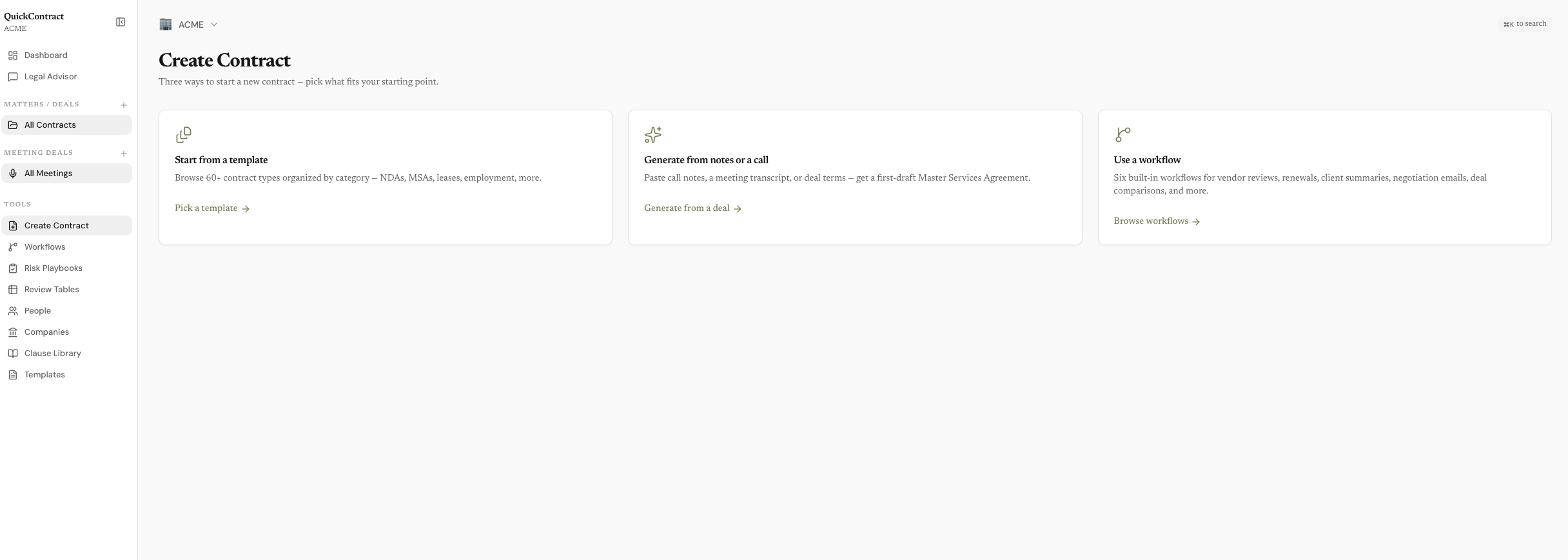
Meetings, people, contracts, and matters — one connected record, all on your Mac.
Record your meetings, draft and review the contracts, and keep every person, term, and deal connected — all on your Mac, never on our servers. One-time $49, bring your own AI.
Download for Mac
Meetings, people, contracts, and matters — one connected record, all on your Mac.
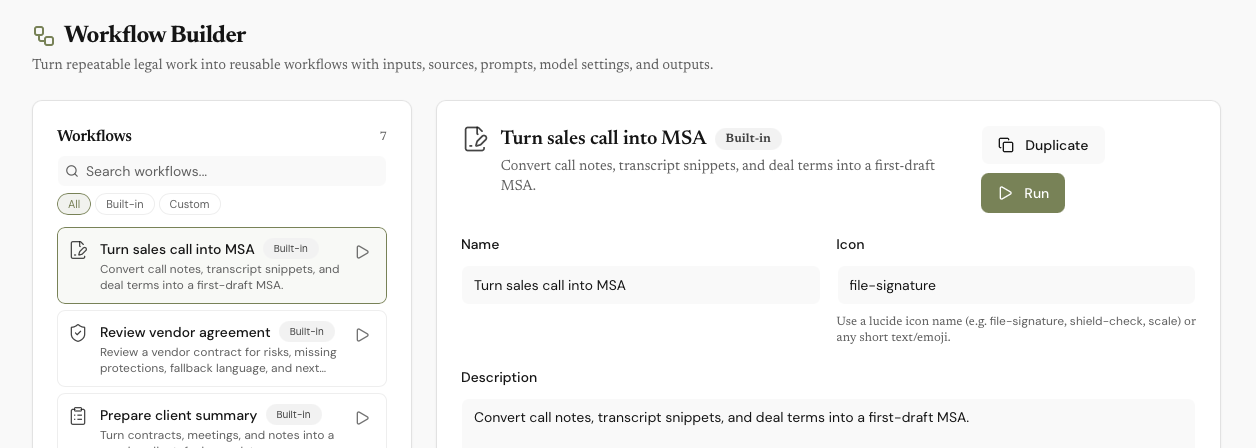
Turn your standard motions — a sales call into an MSA, a vendor agreement into a risk report — into reusable workflows with their own inputs, sources, model, and house rules. Six ship built in. Press Run.
For anyone always in meetings, drafting documents, doing deals
Your call becomes the first draft — automatically.
Tell QuickContract what you need — it drafts, reviews, summarizes, and follows up
Everything in QuickContract is connected. Record a call, and the attendees become people in your directory — each linked to their company. The terms discussed become a draft contract — linked back to the meeting it came from.
That's why you can ask questions no notetaker can answer. "What did Sarah say about IP?" finds the meeting, because Sarah is linked to it. "Which contracts came out of my calls with Meridian?" walks company → people → meetings → contracts.
Answers come with citations to the exact meeting or clause — and the entire graph lives in one local database on your Mac. Nothing to sync, nothing to upload.
Everyone you meet and every company you deal with — automatically organized from your meetings. No data entry.
Open David's page and see everything linked to him: every meeting he attended, every contract he's a party to, every term he discussed, every action item still open. One click generates a full relationship debrief before your next call.
Upload a contract you received. Get a clause-by-clause risk report. Generate counter-proposals for every unfavorable term.
Compare two versions side by side. Merge the best clauses. Highlight anything for a plain-English explanation.
NDAs, freelance agreements, employment contracts, leases, SAFEs, consulting agreements, and more. Personalized to your business.
Codify your review rules. Run them on any contract. Get findings with severity, suggested fixes, and citations back to the exact clause.
Sales call → MSA. Vendor agreement → risk report. Six built-in multi-step workflows. Duplicate any of them to make your own.
Bulk-extract terms across many contracts. Pick a preset, select sources, run. Every cell has answer, citation, and confidence.
Group contracts and meetings into folders. Each folder's Overview links its documents, people, and open risks into a single timeline.
Record any call. Transcription happens locally — your audio never leaves your device. No bot joins your meeting.
Pin a contract or meeting and the assistant treats it as the source of truth. Suggested next actions after every response.
Save your strongest clauses. Generate AI variants. Reuse across every contract. Build a library that compounds over time.
Every other AI notetaker and contract tool runs on someone else's cloud. QuickContract doesn't. Your recordings, transcripts, contracts, and chat history live in a local database on your Mac — we have no server that stores them, no copy to leak, and nothing to hand over.
Audio is transcribed locally using Whisper — it never leaves your device. AI runs through the key you provide, straight from your Mac to the provider you trust — or fully air-gapped with Ollama. And because you buy QuickContract once instead of renting it, there's no business model that needs your data. If your work is under NDA, this is the architecture that keeps you compliant by default.
Every connection is optional, and every one is direct: your Mac talks straight to Google, Slack, or HubSpot using your own login. Nothing routes through our servers, ever.
Email a contract, send follow-ups, or link related correspondence — signed in with your own account.
Import documents in, save contracts out, or auto-back up your whole contract folder to Drive.
Push meeting summaries and contracts to your Notion workspace — automatically, if you want.
Share contract and meeting summaries to a channel, or auto-post after every meeting.
Two-way contact and company sync. Create deals from contracts and keep stages up to date.
Upcoming meetings, titles, and attendees auto-populate — walk into every call prepared.
QuickContract ships an MCP server, so Claude Desktop and Claude Code can query your contracts, meetings, and deals — right from your machine. Your AI assistant gets your deal history without your deal history going anywhere.
There's one real step — connecting your own AI, about a minute. After that it just works, quietly, on every call and contract.
~30 seconds. A normal Mac app — free, no account. On your first recording, macOS asks once for microphone and system-audio access — two Allows and every call after is captured.
~1 minute. Create an OpenRouter key and paste it in, or install Ollama to run completely free and offline. This is the only setup that takes any thought.
Forever after. No subscription to manage, no config to maintain, no lock-in. You own it — most people spend about $5/month on AI, or nothing with Ollama.
A few minutes once, and then QuickContract does the work on every meeting and deal that follows — no ongoing effort, no monthly bill.
Start free. Unlock AI when you're ready.
Free to download. Buy the license from inside the app after sign-up.
No AI subscription. No per-contract fees. Ever. You connect your own AI provider — we recommend OpenRouter (takes 30 seconds). Your key, your provider, your choice of model — your documents go directly to them, never through us. Most users spend about $5/month, or run Ollama locally and never pay a cent.
Add up what you're paying now. Then compare.
| Task | QuickContract | The old way |
|---|---|---|
| Contract drafting | 60+ types, AI-generated | Lawyer ($300–500/hr) or Google Docs |
| Contract review | AI clause-by-clause analysis | Lawyer review ($500+/contract) |
| Meeting recording | Local, private, unlimited | Otter/Granola ($18/mo = $216/yr) |
| Legal Q&A | AI advisor with full context | Lawyer on retainer ($2,000+/yr) |
| Contacts & CRM | Auto-organized from meetings | Spreadsheet or HubSpot ($0–50/mo) |
| Clause library | Save, generate, reuse | Folder of old contracts |
| Year-one cost | $49 once + ~$5/mo AI | $1,500+ easily |
One payment. Yours forever. No subscription.
NDAs, MSAs, SOWs, SAFEs, leases, employment agreements, and more. Generated in seconds, personalized to your business.
Highlight any clause — explain, rewrite, risk-check, improve, add, or save to your library.
Sales Call to MSA, Vendor Agreement Review, Client Summary, Renewal Obligations, Negotiation Email, and Deal Comparison. Duplicate any of them to make your own.
Record any call. Transcription runs locally — your audio never leaves your device. No bot joins your meeting.
All your data is stored on your machine — never on our servers. Go fully air-gapped with Ollama: no internet, no cloud, nothing to hand over to us.
QuickContract is built by a small, independent team that believes legal tools shouldn't cost $500/month. We ship updates every week, read every support email, and build what our users actually ask for.
No venture capital. No enterprise sales team. Just a focused product that does the job.
— The QuickContract team
Record meetings for free. Draft and review contracts for a one-time $49.